Troubleshooting
The music is too loud under my voice — what do I fix?
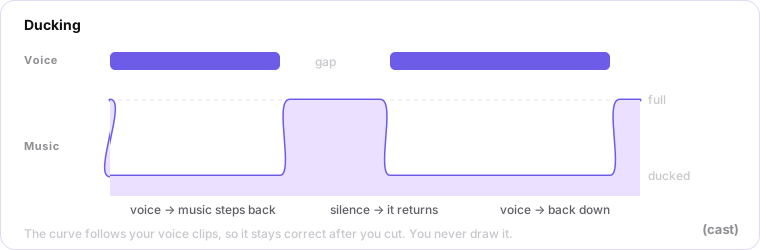
Lower the music lane's level and deepen the ducking. Do not reach for the master: ducking controls how far the music drops while someone is speaking, while the master sets the level of the whole episode, so lowering it just makes everything quieter together.
If it still sounds hot after export, check which preset you exported with. Master applies no loudness normalization, so a mix that was already loud stays loud. Pick the platform preset instead.
Last updated