Editing the transcript
How do I remove filler words?
The Voice Editor finds them for you and lists them. Hesitations — "um", "uh", "mm" — are flagged by default and you can cut them all in one click. Discourse markers like "like" and "so" are detected too, but stay off until you switch them on word by word.
One click, and no chopped words. Every filler cut is snapped to a quiet point in the waveform, so the edit lands between the sounds instead of through them — and when Cast cannot find clean edges, it mutes the word rather than leave you a click. That is the difference between "cut all the umms" being a button you trust and one you undo.
Leaving "like" and "so" off by default is deliberate. They are real words as often as they are filler, and flagging every one of them would bury the transcript in false positives. You decide which ones count, by clicking them in the dictionary.
You can add your own words, and the dictionary can differ per speaker — which is what makes cleanup practical on a two-host show where each person has their own tics.
The panel: every hit, counted
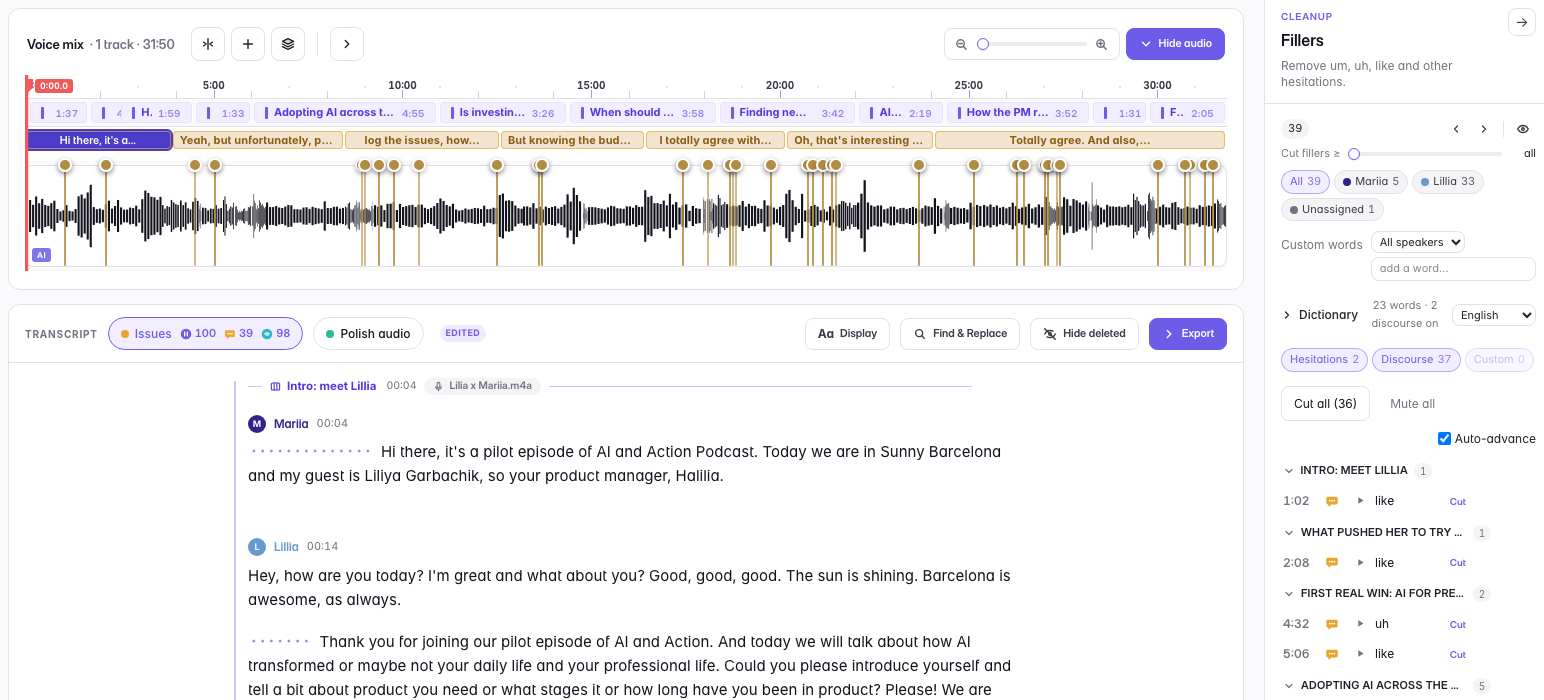
Cast lists each one against the transcript it came from, grouped by chapter and counted per speaker. Cut them one at a time, or take the lot in a single click — and Auto-advance walks you to the next one so you are not hunting.
The chips above the list — Hesitations, Discourse, Custom — are filters, not just counters. Click one to hide or show that kind of filler, and the bulk buttons follow what is visible: narrow the list to hesitations only and "Cut all" cuts exactly those.
The dictionary: what counts as a filler is your call
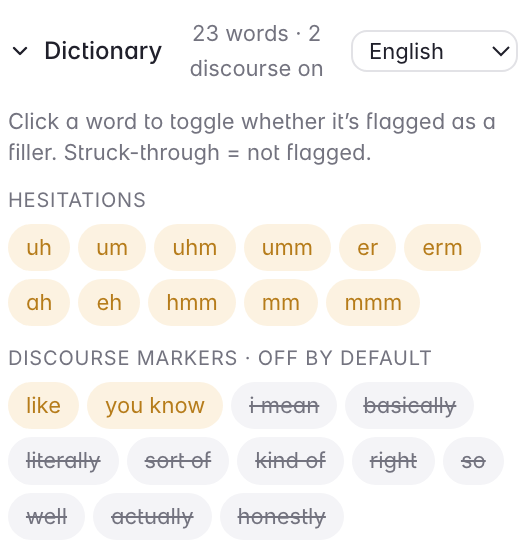
Hesitations are on: "uh", "um", "uhm", "er", "hmm" — noises, not words. Discourse markers are off, and struck through until you click them: "i mean", "basically", "literally", "sort of", "right", "so". They are real words as often as they are filler, and flagging them all would bury the transcript in false positives.
Click a word to flip it. Add your own. Keep a different list per speaker — a two-host show where each person has their own tics is exactly where a single global list falls apart.
Last updated