Mixing
Why does the music get quieter when someone talks?
That is auto-ducking. The music drops under the voice and comes back in the gaps, automatically — and because the duck follows your actual voice clips, it stays correct after you cut. Trim a minute of filler and the music re-balances itself. You never draw a volume envelope by hand. You can set how far it drops, or switch it off.
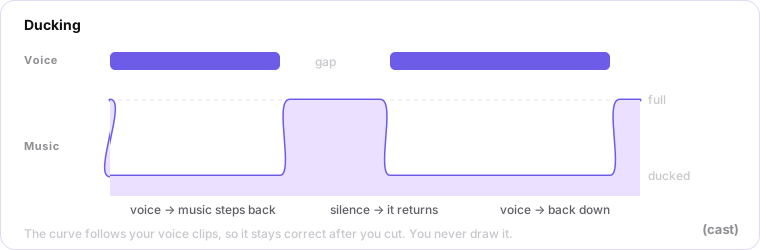
In a timeline where the music is just an imported track, every edit to the speech can mean redrawing the volume automation by hand — auto-ducking does that for you.
If the music still feels loud under the voice, deepen the ducking and lower the music level — not the master, which just makes the whole episode quieter.
The curve, in the Studio
The envelope runs along the top of the music clip. Depth is one number for the whole lane — change it and the curve follows everywhere at once. “Hide the curve” is a view setting; the music still ducks.
Last updated