Bleeping & censoring
Can I undo a bleep or change the cover later?
Yes — every bleep is non-destructive. Restore a single word from its popover, or Restore all to clear them at once, and the original audio comes back untouched. You can also swap a beep for noise or silence at any time without redoing the work.
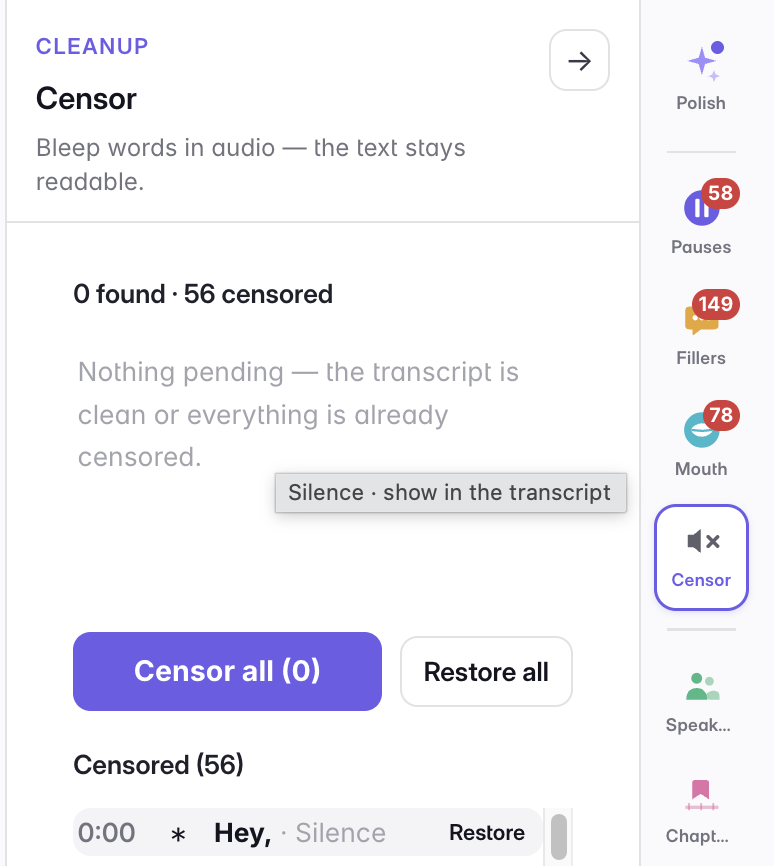
A censored word is muted under the cover, never erased, so nothing you bleep is permanent. Click a bleeped word and choose Restore to bring it back, restore one row from the Censored list in the panel, or use Restore all to clear the lot — the audio returns exactly as recorded.
Changing your mind about the cover is just as cheap: the same popover swaps a hard beep for brown noise or plain silence, and Apply to all pushes that choice to every other instance of the word in one move.
Last updated