
Background Music for Twitch
Staff picks
 Genre Stories
 Soft Piano Waves
 Calm Beats
 Emotive Instrumentals
 Beauty Vlogs
 Aesthetic Flow
 Office Atmosphere
 Work Flow
 Workout Tracks
 Music for Documentary
 Sound for Learning
 Commercial Cuts
 Motivational Music
 Music for Podcasts
 Music for Presentations
 Catchy Jingles
 Soft Music
 Autumn Vibes
 Fall Vibes
 Hotel Atmosphere
 Lo-Fi Vibes
 Music for Videos
 Music for Vlogs
 Music for YouTube
 Twitch Flow
 Music for Ads
 Top Tracks
 Spooky Ambience
 Background Music
 Feel Good Tunes
 Get Happy
 Meditation Music
 Atmospheric Beats
 Contemporary Classic
 Corporate Inspiration
 Electro Action
 Experimental Artists
 Funky Grooves
 Hollywood Epic
 Kawaii Party
 Meme Supply
 Minimalism Chic
 Mix It Up
 NFT Inspiration
 Power Up!
 Product Hunt
 Smartronica
 Space Voyager
 Street Wear
 Sweat!
 Thoughtful Guitars
 Turn Up The Bass
 Uncut Gems
 Upbeat Artists
 Upbeat Vibes
 Uplifting Artists
 Black Friday 2025
 Halloween
 Happy New Year
 Love is in the Air
 Merry Christmas
 Valentines Day
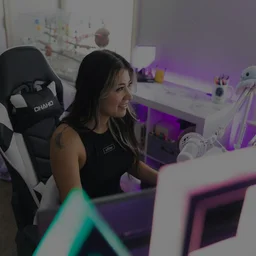
The Twitch Flow playlist on Mubert Render is built for live streams where background music shouldn't fight your voice, alerts, and game sound. The vibe is usually chill, with lo-fi, ambient, and instrumental tracks that can be used behind the action.
Why Copyright-Free Background Music is Essential for Twitch Streamers
Streaming is different from editing a video: you can’t fix it in post when a track triggers a mute, a VOD restriction, or a copyright claim. Using royalty-free, no copyright music (music you have clear permission to use) protects the most important parts of your channel: a VOD library, highlights, and your ability to repurpose clips elsewhere. It also keeps your broadcast predictable. When the background audio is licensed and consistent, you don’t have to panic mid-stream or swap scenes because something is flagged.
Best Ways to Use Royalty-Free Music to Enhance Your Stream’s Atmosphere
A stream can be called professional when the background audio has structure:
- calm lo-fi sounds make intros welcoming;
- dark ambient beats fit gamer streams and story-driven titles;
- for competitive play, background music works best when it’s simple and steady;
- if you are a variety streamer, a small playlist with two or three moods helps a lot with arranging waiting screens, gameplay, and reading chats in different styles.
If you also post clips as YouTube background music style shorts, keep the same music palette to make your gaming content feel connected across broadcast platforms. Your viewers will recognize the vibe even when the game changes.
How to Generate and Download High-Quality Twitch Music from Our AI Library
Start from the Twitch Flow playlist on Mubert Render or generate vlog background music that fits your stream. Use a short prompt or an image, choose whether you want a full track or a loop, and set a length that matches your project. Generate a few takes and download the best no-copyright audio file for your player setup.
The important rule is how you use the royalty-free audio: it’s meant to live inside your content (stream, VOD, highlights), not as a raw audio upload for others to download. And you shouldn’t run it through Content ID or similar systems that make it look like you’re claiming ownership of the track. If you use a free license option, it’s typically personal and non-commercial and requires attribution, so check the plan before you rely on it for a monetized streamer setup.