
よくある質問

General

Mubert is one of the pioneers of AI-powered music creation, generating tracks from a database of sounds created by human producers. Our approach enhances the music quality while supporting artists and democratizing the commercial music creation and licensing process.
At Mubert, our main mission is to empower content creators with easy-to-license tool, powered by musicians. Human creativity is an inevitable part of music creation process.
A Digital Service Provider (DSP) is an online store (iTunes, Amazon Music) or streaming service (Spotify, Apple Music, Tidal, YouTube Music) and etc.
You can now easily change your password right in 'My Profile' section. Don't forget to save the changes.
You can now change the login method right in 'My Profile' section.
In order to delete your account, please tap the 'Delete Account' button in 'My Profile' section.

音楽世代

Mubert watermark is added to prevent fraudulent activity. The watermark will be deleted once you download the track to your device.
– Track mode is the most native and is perfect for music of classic length
– Jingle mode is best for music content up to 40 seconds long – these are short completed tracks with fixed and logical structure
– Loop mode creates music pieces that are best looped – are best to use for NFTs or Instagram posts
– Mix mode is perfect for any long-lasting content, mimicking the DJ's work tracks follow one after another, blending harmoniously – best for YT Channels or Podcasts
Unfortunately, it is not possible to mix different categories at the moment. Please try generating with a text prompt to enhance the results.

Mubert Renderは現在、25分を超える個別のトラックの生成をサポートしていません。より長い連続した音楽を生成するには、ミックスモードを使用するか、 Mubert APIの詳細についてはお問い合わせください

参考となる楽曲へのリンクを貼り付けると、Mubertはその楽曲の音楽的特徴を分析し、元の楽曲をコピーすることなく、類似したスタイル、雰囲気、エネルギーにインスパイアされた楽曲を生成します。

新しいトラックを生成すると、プロンプトに基づいてまったく新しい楽曲が作成されます。クイックリミックスは既存のトラックから開始し、元のトラックの全体的な特徴を維持しながら、選択したステムを再生成または削除できます。
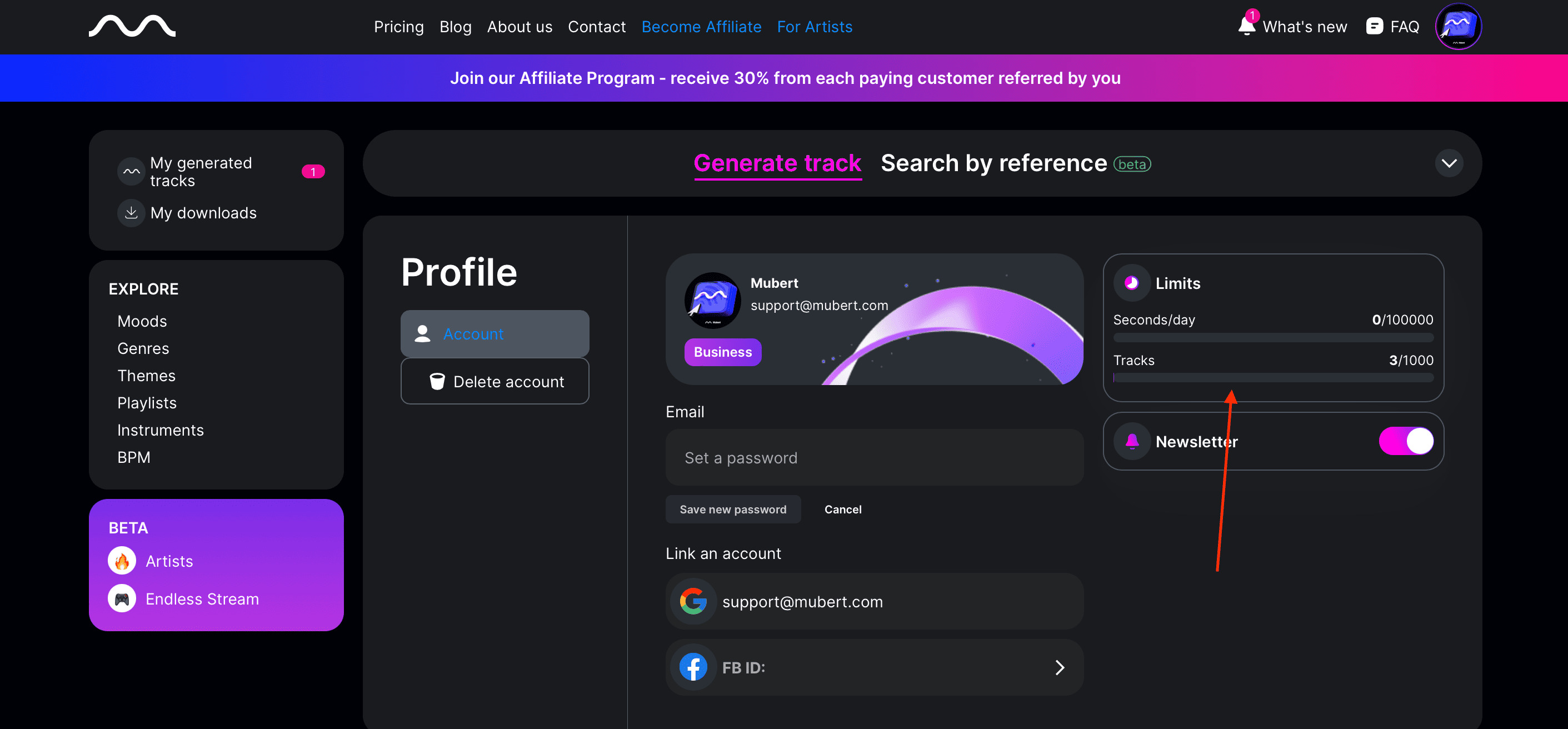
There are different monthly generation limits on different plans. The free Ambassador one allows to generate 25 tracks, while Creator & Pro up to 500 tracks, Business up to 1000.
You can now find your limits in My Profile section, including the daily limit.

Mubert RenderはAIによる音楽生成を目的として設計されており、現時点では単体の効果音は生成できません。ショート動画を作成する場合は、 Mubert Fuseを使用して、ショート動画やソーシャルメディア向けのAI効果音を生成してみてください。ポッドキャストや音声コンテンツの場合は、 Mubert Castでイントロ、アウトロ、オーディオブランディングを生成できます。詳しくは、 Mubert FuseMubert Castをご覧ください。

In order to download tracks in lossless quality, a Paid Plan is required. Please find more information on available Plans here.

リミックス&編集

Quick Remixを使えば、既存のトラックをカスタマイズできます。個々のステムを再生成したり削除したりすることで、トラックの残りの部分は変更せずに済みます。ゼロから作り直すことなく、新しいバリエーションを素早く作成できる方法です。

Quick Remixは現在、ドラム、ベース、リード、エフェクトの4つのステムグループをサポートしています。これらのステムは、任意の組み合わせで再生成または削除できます。

はい。サポートされているステムを任意の組み合わせで選択し、1つのリミックスで再生成または削除できます。

いいえ。削除または再生成のためにステムを選択しても、現在のトラックはすぐに変更されません。「リミックス」をクリックして新しいバージョンを生成すると、生成完了後にプレビューできるようになります。

クイックリミックスは、現在再生中のトラックをリアルタイムで編集するものではありません。選択内容は「リミックス」をクリックした際に適用され、新しいトラックバージョンが生成されます。生成が完了したら、結果をプレビュー、ダウンロード、または再度リミックスすることができます。

いいえ。オリジナルトラックは常に変更されません。リミックスはすべて別バージョンとして生成されます。

はい。Quick Remixは、ユーザーが作成したトラックと、スタッフのおすすめライブラリにあるトラックの両方に対応しています。

はい。Quick Remixでトラックの長さを変更する機能は、有料プランでご利用いただけます。無料ユーザーは、元のトラックの長さでリミックスを行うことができます。

まだです。Quick Remixではサポートされているステムを編集できますが、個々のステムやMIDIファイルをエクスポートする機能は現在利用できません。

はい。Quick Remixは、リミックス済みのトラックであればどれでも使用でき、必要なだけ連続してバージョンを作成できます。

はい。クイックリミックスを作成するたびに新しいトラックバージョンが作成され、月間生成制限のうち1回分が消費されます。

回答:リミックスは元に戻せませんが、元のトラックは常に変更されずに残ります。すべてのリミックスは別バージョンとして保存されるため、いつでも元のトラックに戻すことができます。

Quick Remixは、元のオーディオを直接編集するのではなく、トラックの新しいバージョンを生成します。音楽生成には多少のバリエーションが含まれるため、再生成されたステムは予想とは異なるサウンドになる可能性があり、トラック全体の雰囲気に若干影響を与える場合があります。結果を再度リミックスすることで、別のバリエーションを試すことができます。

Music Usage Options

Unfortunately, we do not provide such licensing options at the moment. It is strictly prohibited to register our music under Content ID systems. However, you can use tracks as background music for YouTube music videos.
Yes, our licensing scope includes such a use case. If you’d love to promote/boost these videos, a Creator Plan is best; if you plan on monetizing the channel, at least a Pro Plan is required.
No, unfortunately, Ambassador Plan can be used only for personal projects.
You can use music generated via Mubert in your indie game on a Pro Plan. For larger developers a Business Plan is required.
In order to use our tracks as background music in the app, a Business Plan or API subscription is required. If you sublicense music to content creators, you’ll need to request the API access.

Licensing & Subscription

You can use Mubert music on the Ambassador Plan for free in your personal projects without ad spend or monetization. However, it is obligatory to credit copyright to Mubert, wherever music is used – please add the link to Mubert Render and a #mubert hashtag. In order to use music in promoted/boosted posts, a Creator Plan is required. If you’d love to monetize the posts, a Pro or Business Plan will fit.
Creator Plan is best for personal content, including promoted/boosted posts. However, in order to use Mubert music for commercial content and/or monetize posts – a Pro Plan is required.
Paid plans allow licensing music for different use cases and provide extended generation limits. You can find more information on the terms here.
All the copyright is owned by Mubert Inc. We license tracks for different use cases. You can find more information here.
When you cancel Mubert Subscription, you are no longer allowed to use tracks in new projects. However, you can keep the old ones posted and continue monetization.
Unfortunately, we do not provide such licensing options at the moment. It is strictly prohibited to register our music under Content ID systems. However, you can use tracks as background music for YouTube music videos.
You can cancel your subscription in My Profile section.
You can pay using a credit card (Visa, MasterCard or American Express). Payments via PayPal are not supported at the moment. You can choose to pay in either monthly or annual installments. Please check our Pricing Page for more information.
You can now find your limits in My Profile section, including the daily limit.

Troubleshooting

Please check whether the pop-up window is not being blocked by your browser or any ad blocker installed.
Track generation time depends on the duration and server load. If you experience long generation time, please reach out to us directly.
Please reach us our directly, so we could refund the previous payment in case you want to upgrade the plan. However, please note, that in all other cases we have a zero-refund policy.
All of the music generated via Mubert is royalty-free, but sometimes there can be false positive claims. In order to prove you have the rights to use the track, please upload the License Agreement obtained when downloading the track.
In order to generate tracks via the Google Collab interface, you’ll need a Pro or Business Plan to be active.

Quick Remixは、あなたの楽曲の全く新しいバージョンを生成します。生成時間は、楽曲の長さと現在のサーバー負荷によって異なります。

Other

Our Affiliate Program grants 30% of all payments proceeded by customers referenced by you. You can join here.

トライアルアクセスキーを取得するには、こちらからトライアルプランをご購入ください。より上位のプランをご希望の場合、またはカスタム統合をご希望の場合は、お気軽にメールでお問い合わせください。利用可能なプランとドキュメントについては、Mubert APIページをご覧ください。