

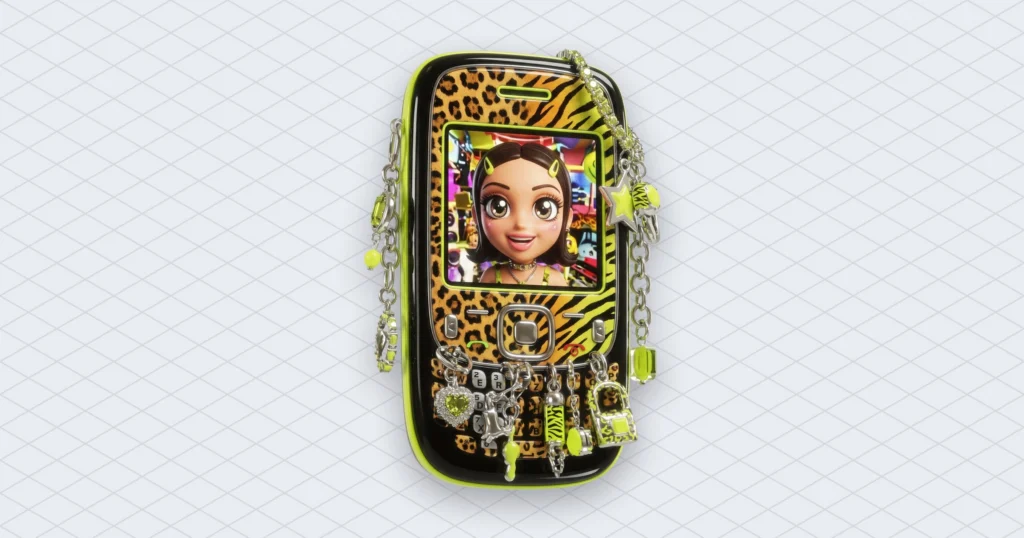
Suno Visuals is the AI music company’s new image and video tool. It launched on November 17, 2026, and makes lyric videos, album art and clips of up to 15 seconds that follow a song’s structure and lip-sync to its lyrics. It is for people who already make songs in Suno and want the video in the same app. Below: what it does, how the separate credits work, what the face filters block, and what to check before you post a clip.
So Suno now makes the song, the cover and the video. What it can’t make is the lawsuits go away. The new filters for artists’ faces read like they were written with those lawsuits open in another tab.


Suno Visuals turns a song into 15-second clips that follow the music
Each Suno Visuals clip runs up to 15 seconds. According to Suno’s announcement, you drag a song from your library into the Visuals tab and generate from there. Clips follow the song’s structure, pick up on the lyrics and lip-sync to them, and lyric videos move with the beat. You can start from one of Suno’s own characters or upload an original image, including a photo you want turned into video. Then you extend, edit or re-prompt.
Bloomberg reports that the 15-second clips can be stitched together into a full music video. So a three-minute song needs about twelve clips. (Twelve clips, each paid for in credits. Hold that thought.)
Under the hood, Billboard says Suno Visuals runs on H3 Move. That’s a model derived from H3 by the Chinese AI company MiniMax, tuned for how Suno expects its users to work. Chief product officer Jack Brody explained the timing: “until recently video generation was slow and too expensive for anyone to create but enterprises.”
The web version of Suno Visuals is live. The Next Web and Unite.AI reported that the iOS and Android apps are due within a few weeks.
We once made a lyric video by hand in a video editor, keyframing every word. Four hours of work for three minutes of song, plus a typo in the chorus that nobody noticed until it had views. Anyway.
What happened so far
Suno Visuals is the latest step in a busy year of Suno moving past “type a prompt, get a song”:
- About six months before this launch, OpenAI shut down Sora, its short-form video app, after copyright owners complained about protected characters and brands showing up in its clips (Billboard).
- June 2026: a $5.4 billion valuation (The Next Web).
- September 2026: Suno released music models trained on licensed songs from Warner and BMG (The Next Web).
- October 1, 2026: Speech, in beta.
- Week of November 10: Elvis Presley’s music owners and Eminem’s publisher sued Suno, and we covered both the Elvis voice-cloning case and the Eight Mile Style claim.
- November 13: Suno Bridge enters Ableton Live.
- November 17: Visuals launched on the web.
- Next few weeks: the phone apps.
Suno Visuals credits are a separate wallet
You pay for Suno Visuals separately. Suno’s Visuals page says Visual credits are bought apart from song credits and cover both videos and images. A clip’s cost depends on its length and the quality you pick, and Fast costs fewer credits than Standard. Credit packs you buy don’t expire. Pro and Premier subscribers get a limited number of Visual credits to try the tool, for a limited time.
Free users get very little. Billboard reports they can make one five-second video before they hit the credit limit, and after that they have to pay. Bloomberg’s headline frames the launch around new paid plans, which is a fair summary. Suno didn’t publish per-clip prices for Visuals on the pages we read, so check the live pricing before you plan a twelve-clip video.
This is the part creators will feel first. Your song subscription doesn’t cover the video. The two meters run side by side, like a taxi that charges separately for the radio.
The face filters in Suno Visuals and the lawsuits behind them
Suno added text and visual filters meant to block prompts and uploads that show specific artists, public figures, copyrighted works or other IP. Suno’s own wording is unusually blunt: “prompts that work on other video platforms may not work on Suno and that’s by design.”
The checks also run on the output. Before you see a generated image or video, Suno runs it through these filters and third-party tools to check it against its Community Guidelines. On the audio side, Suno still uses Audible Magic, ACRCloud and Musixmatch to block uploads that contain copyrighted audio. The first time you upload an image or video to Visuals, Suno reminds you the tool is for original creation and asks you to confirm you own the rights. Clips get embedded watermarks before they can be shared outside Suno. Misuse can lead to removed content, a restricted account or, in the worst cases, a terminated one.
Now look at the timing. Billboard lists a lawsuit from Universal Music Group and Sony Music, plus suits from Elvis Presley’s estate and from a class action group that includes Jason Isbell, over name, image, likeness and voice. (Likeness means a person’s recognisable face and appearance.) In court, Suno has argued that its models don’t accept artist names in prompts and don’t imitate real voices. The Elvis complaint calls that “unequivocally false.” So a Suno Visuals clip of the King’s face, made on request, would hand the other side a free exhibit. Suno isn’t alone here either: The Next Web notes that ByteDance added similar guardrails to its Seedance video tool in March.


What we think: one song, two rights questions
Video was always coming, and Suno says as much. Suno Visuals makes sense for someone who has a song and needs a cover and a short clip for social media tonight. A model that knows where the chorus starts beats a general video model guessing from a text prompt.
The rights question doubles, though. Before, you had to know what your plan let you do with the song (our post on Suno’s commercial use rules goes through it). Now you need the same answer for the picture. The filter catches “make it look like a famous singer.” The rights checkbox catches everything else, which means the responsibility moves to you. That checkbox is a statement you’re making, not a cookie banner.
The watermark is the honest part. Platforms will be able to tell a Suno Visuals clip is AI-made, so label it yourself and nobody is surprised.
One more thing. Copyright systems still check the audio, however good the video looks. In Mubert’s own data from the last 28 days, about one in four tracks run through our copyright checker came back with a rights holder’s claim (23.5%, down from 26.5%). A new video doesn’t change what’s in the soundtrack.
What to do before you post a Suno Visuals clip
- Check what your Suno plan lets you do with the song before you build a video on it.
- Upload only images and photos you made or own the rights to.
- Draft in Fast quality and save Standard for the final cut.
- Check the live Visuals pricing before you plan a full-length video made of 15-second clips.
- Leave the watermark alone and turn on the platform’s AI label when you post.
- Don’t try to sneak a lookalike past the filter, because losing your account is one of the listed penalties.
Suno can now make the song, the cover and the video. The lawyers are still not a feature, and the filter is there because of them.


 Who we are


