Ever found a track you absolutely love on Mubert but realized it’s just not the right length for your project? Maybe it’s too long for an Instagram Reel or too short for a YouTube intro. That’s exactly where the Remix feature comes in.
With Remix, you can take any track from our playlists and instantly adapt it to your needs – no editing software required.
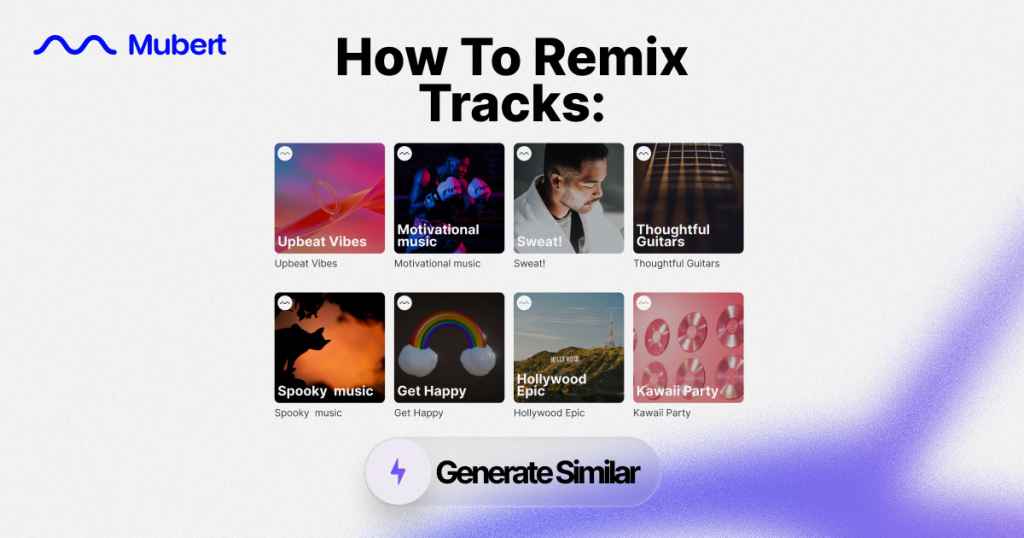
Step 1. Explore Playlists
Head to the Playlists section on Mubert and start browsing. Whether you’re looking for lo-fi vibes, cinematic scores, or upbeat electronic tracks, you’ll find a collection that sparks inspiration. Tracks in Playlists section were also created by the means of AI but were curated by our Music Experts.
Step 2. Pick Your Favorite Track
Hit play, listen around, and choose the track that resonates with your project. Found the one? Great.
Step 3. Tap the Remix Button
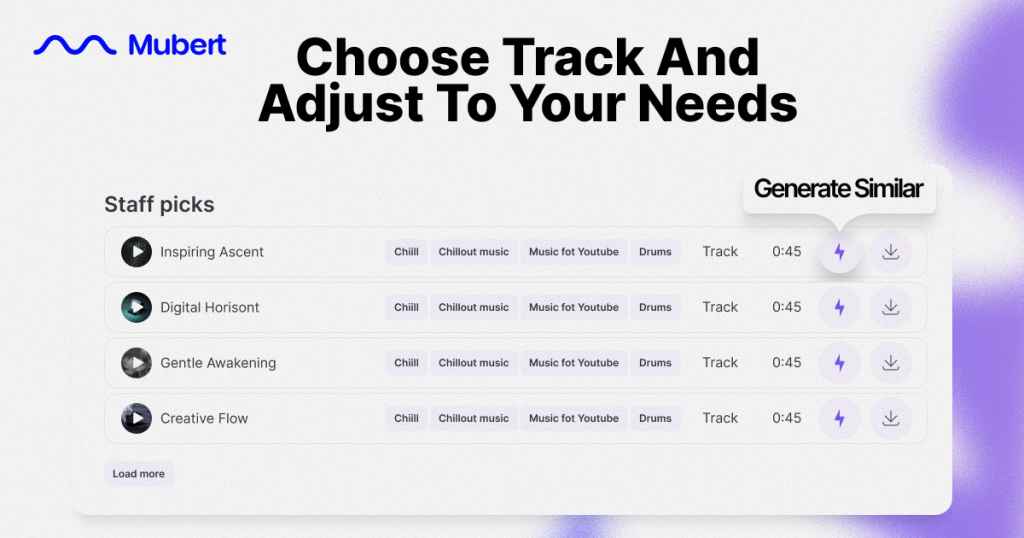
Next to every track, you’ll see a small lightning icon ⚡. That’s the Remix button. Click it to open up the customization panel.
Step 4. Choose Your Format and Duration of the Remix
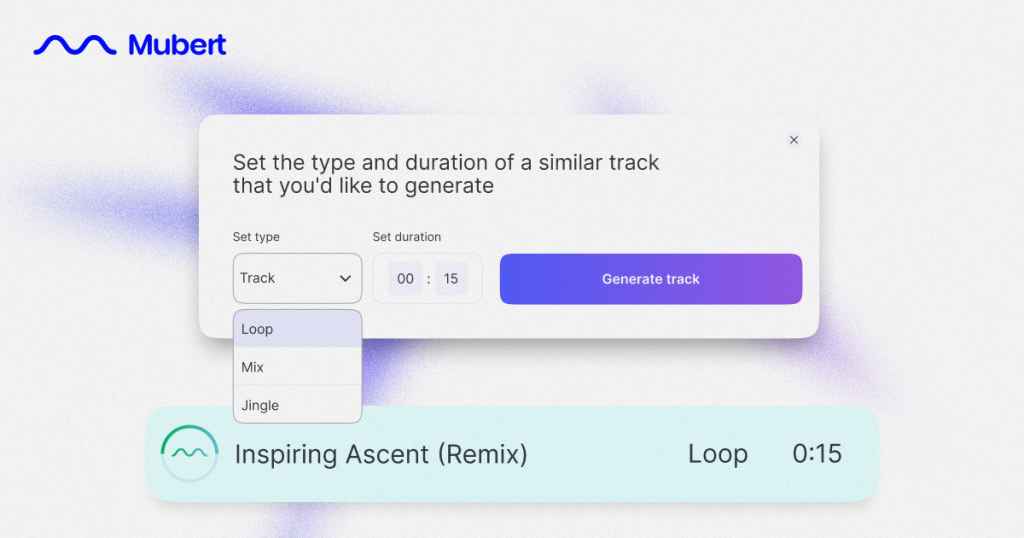
Here’s where the magic happens. You can decide if you want the track as a:
- Track (a full piece of music)
- Loop (great for repeating background sound)
- Jingle (short, catchy music clip)
- Mix (a longer, evolving soundscape)
Then, set your desired duration. Want a quick 15-second loop for an Instagram Reel? Just type it in.
Step 5. Generate New
Click Generate New, and Mubert will instantly create a fresh version of the track, perfectly matching your chosen length and format.
Now you’ve got music that’s tailored exactly to your project – no cutting, no awkward fade-outs, just seamless sound.
👉 Pro tip: Try experimenting with different formats. Sometimes a track you love works even better as a loop or jingle than as a full-length track.
Where to Use Your Remixed Tracks
Remixed tracks are versatile and can elevate different types of content:
- Instagram Reels & TikTok videos – short loops that fit trending formats.
- YouTube intros/outros – unique jingles that make your channel stand out.
- Podcasts – custom background loops that match the exact length of a segment.
- Presentations – music that enhances slides without distracting.
- Ads & promos – perfectly timed tracks for different formats and platforms.


 Who we are