
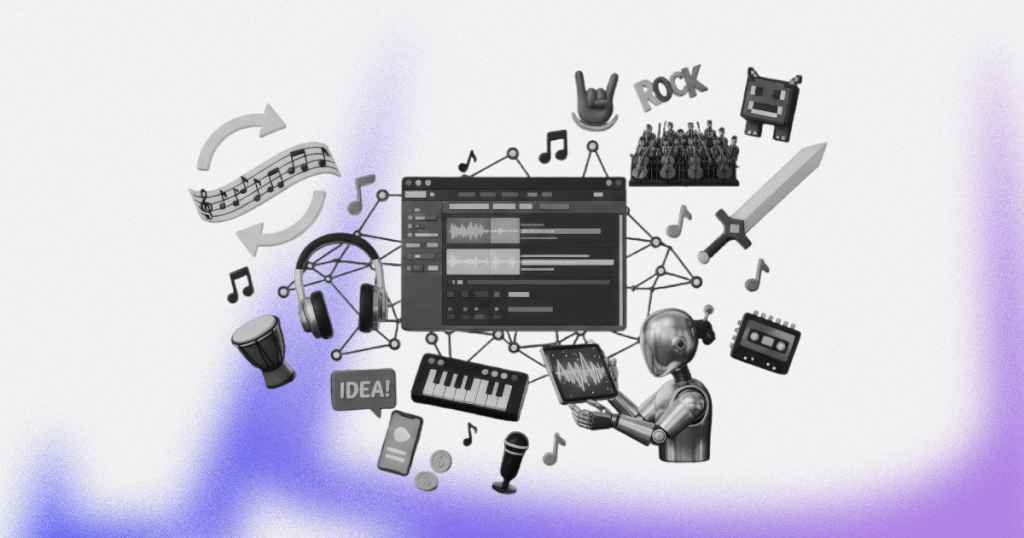
Short answer: To make video game music, choose a DAW, study soundtracks you love, and write short tracks that loop seamlessly, since players may hear a 30-second loop for hours. Break tracks into layers that adapt to what happens on screen, keep melodies catchy but not annoying, and always test your music while actually playing the game.
Game developers love to say “gameplay is king”, yet when you ask players why they still replay a title years later, they almost always point to the music. Seriously, just think about how quickly the Tetris theme pops into your head, or how Gustavo Santaolalla’s aching ronroco lines in The Last of Us pull you back into Joel and Ellie’s world before the menu even loads.
Long after game graphics age and mechanics evolve, a strong composition still makes an old video game feel timeless. That’s because it creates mood and adds emotion to every scene.
Most people don’t realize that some of these memorable game soundtracks were made by composers working from home with a basic setup. You don’t need expensive gear and years of training; you should just understand how music behaves differently in games compared to movies or albums and adapts to what’s happening on screen.
Beginner Tips: Creating Music for a Video Game
Composing for games is nothing like writing a regular song because when you create a track for an album, people listen once, maybe skip to their favorite part, and move on. In games, players may hear your 30-second loop for three hours straight. That changes everything, and your melody needs to be catchy enough to stick in someone’s head but subtle enough that they won’t want to mute the audio after the hundredth repetition.
How can you compose such a track? The techniques you’ll learn here will help you.
Choose the Right Tools, But Don’t Overthink It
First, you should choose a Digital Audio Workstation (DAW), but there’s no perfect one for game music. We can just advise you to try out some of them.
- Reaper offers excellent value: a 60-day free trial with full features, then a $60 license for personal use or if your yearly revenue is under $20,000 ($225 for bigger businesses).
- Logic Pro (Apple dropped the “X” from the name) runs on Mac and iPad: $199.99 one time for the Mac app, or through the Apple Creator Studio subscription.
- Cubase 15 and Ableton Live 12 suit different composition styles, and both have cheaper entry editions (Cubase Elements, Live Intro at $99).
Choose one, download it, and start making music. You can always switch later, and the fundamentals you learn will transfer.
For hardware, a simple MIDI keyboard will speed up your workflow dramatically compared to clicking notes with a mouse. An audio interface and decent headphones help, but they’re not essential when you’re starting.
Study Like Your Career Depends on It
Dissect the soundtracks that inspire you. You can import reference tracks from games such as Hollow Knight, Ori and the Blind Forest, Celeste, and other games directly into your DAW and analyze them systematically.
Pay attention to tempo choices and notice how exploration themes usually move slower than action sequences, and check the BPM of every track you study. Study instrumentation patterns and melodic contour: how do composers balance memorable hooks with parts that won’t annoy players after hours of repetition.
Then, try recreating short sections of your favorite tracks note-by-note. It feels tedious initially, but you’ll absorb composition techniques that would take years to discover on your own. The patterns you notice will become tools in your own writing.
Master the Loop
Your tracks need to cycle seamlessly for potentially hours, and the ending must harmonically and rhythmically flow naturally back to your beginning, so practice with simple 30-second loops, create a basic chord progression, add a melody, then test whether it drives you crazy after ten repetitions. If it does, simplify it. End your loops on dominant chords when possible to create natural tension that resolves when the track restarts.
Think in Layers, not Just Tracks
Modern game music uses adaptive systems where different musical elements come in and out based on what’s happening on screen (ambient for exploration, drums for combats, strings for story moments, etc.).
Think about how you can break your video game tracks into separate stems. For example, check out Mubert’s horror themes to hear how tension builds through careful layering.
Christopher Larkin, who wrote the music for both Hollow Knight games, delivers his Silksong tracks as at least two stems, so the developers can fade the full arrangement down to a sparser version when Hornet enters a smaller area.
To wire layers like these into a game, most teams use audio middleware. FMOD is free for developers with under $200k revenue a year and a development budget under $600k, and the Wwise Indie license is free for projects with a production budget up to $250K.
Match Your Mood to the Genre
Different game genres have established musical languages that players expect. For example, you’ll likely hear orchestral arrangements in fantasy RPGs, upbeat rock in road trip games, and jazz influences in detective games. Study these conventions, but don’t feel trapped by them because the most memorable game music just takes familiar elements and adds personal twists.
Keep Melodies Memorable but not Overwhelming
Players will hear your themes countless times, so they need to be catchy, not annoying. The original Mario overworld theme remains iconic despite, or perhaps because of, its complex rhythms and large melodic leaps. It’s singable enough to stick in your head but sophisticated enough to reward repeated listening.
Start with simple and memorable phrases. Hum them along: if you can’t easily sing your melody, players probably won’t remember it.
But remember, “simple” doesn’t mean “boring”, so add rhythmic interest, use call-and-response patterns between instruments, or let your melody evolve subtly over time.
Structure the Composition Process
Professional composers don’t just sit down and hope inspiration strikes. They create detailed briefs that outline the track’s purpose, mood, instrumentation, and technical requirements.
Set up your song structure using markers in your DAW before composing it. Even simple forms will give you clear goals for each section.
Test Everything in Context
Creating beautiful standalone pieces that fall apart in actual gameplay is the biggest mistake beginners make. They shouldn’t sound amazing in isolation, so always test your music while actually playing the game. Only by experiencing your composition alongside gameplay can you fine-tune the balance.
Learn From Production Analysis
Import professional video game soundtracks into your DAW and study their production techniques. Notice these aspects:
- how much frequency space different instruments occupy;
- how reverb creates depth without muddying the mix;
- how compression keeps everything balanced.
Stereo imaging matters too: important gameplay elements often stay centered, but atmospheric sounds spread wide.
If you want to experiment with different moods and styles, try Mubert’s music generator. You can quickly prototype ideas or find inspiration for your own compositions.
Bonus Tips
Some insider secrets separate hobbyists from professionals.
Keep an Idea File
Some composers lose hundreds of great ideas because they think they’ll remember them later. Spoiler alert: you won’t, so create a simple voice memo folder on your phone or start a basic project file in your DAW.
Build a Sound Palette
Professionals always choose instruments before they write a single note. Every composition decision becomes clear when you know you’re working with strings, piano, and electronic textures.
Learn Music Theory, but don’t Wait for Perfect Knowledge
The worst mistake beginners make is thinking they need to understand every chord extension and modal interchange before they can compose anything worthwhile. Music theory is a tool, not a prerequisite, so start making music now with whatever knowledge you have. When you encounter something you don’t understand, research it.
Each habit will make your next project more professional. The composers landing the best gigs aren’t necessarily the most talented musicians; they just systematized their creativity.
How to Become a Video Game Music Composer?
The path from bedroom producer to professional game composer requires musical talent, of course, but there are also some important steps to follow before composing game music.
- As we’ve already said, you need a solid DAW and an understanding of the chosen software inside and out, as well as some important music concepts: adaptive music, dynamic mixing, and how audio implementation works in game engines. Music theory helps, but don’t let it paralyze you: some techniques can be discovered along the way.
- Compose 3–5 tracks that demonstrate different moods and genres, keep each track under two minutes, and make them sound like they belong in actual games. Study how music works in your favorite titles, then create pieces that serve similar functions. They will be part of your portfolio.
- Spend time where developers hang out. Drop into Discord servers, show up at weekend game-jam events in your city, and volunteer to score a classmate’s capstone project, even if the payment is only a credit screen. You’ll get a constant stream of potential partners.
- A bonus tip for you: follow fellow composers on X or Discord so you catch new plug-ins, mix tricks, and workflow tweaks the day they drop.
You won’t get professional music production skills from day one, of course. Creating good work consistently, building genuine relationships with developers, and understanding that music serves the game, not the other way around, are your best friends on this path.
Try Mubert
If you need polished game music but don’t have weeks to compose it yourself, Mubert’s AI engine will help you. Try out Mubert Render: it can create an original track, loop, mix, or short jingle, often in under a minute, keeping the result completely royalty-free. You simply enter a text prompt (“8-bit boss theme” or “lo-fi exploration loop”), pick a format and duration, and hit Generate; the generator returns a downloadable MP3 that already loops cleanly.
Game developers appreciate the platform’s developer API, which streams adaptive tracks that shift in real time to match moment-to-moment gameplay. You can also browse ready-made cuts by mood, genre, or activity, then regenerate a near-instant variant until it fits your scene.
One subscription covers commercial video projects, in-app loops, or streams, and you keep all revenues without extra clearance paperwork. Even if you ultimately plan to write your own score, Mubert is a handy stopgap for gray-box builds, trailers, or prototype demos.
The mobile version is also available for Android and iOS: you can download Mubert’s app from Google Play or App Store. You can choose from categories like Chill, Focus, Sports, or Relax, and the AI instantly creates a continuous, tailored stream.
Because the platform sources millions of artist-made stems, the output feels surprisingly organic, without uncanny, robotic artifacts that pull players out of the moment.



 Who we are