
Edit AI-Generated Music Without Starting Over
Keep the track you like. Change the parts you don’t.
Track Editor gives you structural control over Mubert-generated music. Reshape sections, change individual elements, or adjust duration, BPM and key — without starting over.
Available on Mubert Render Pro and Business plans
Almost right? Fix this track instead of generating another one.
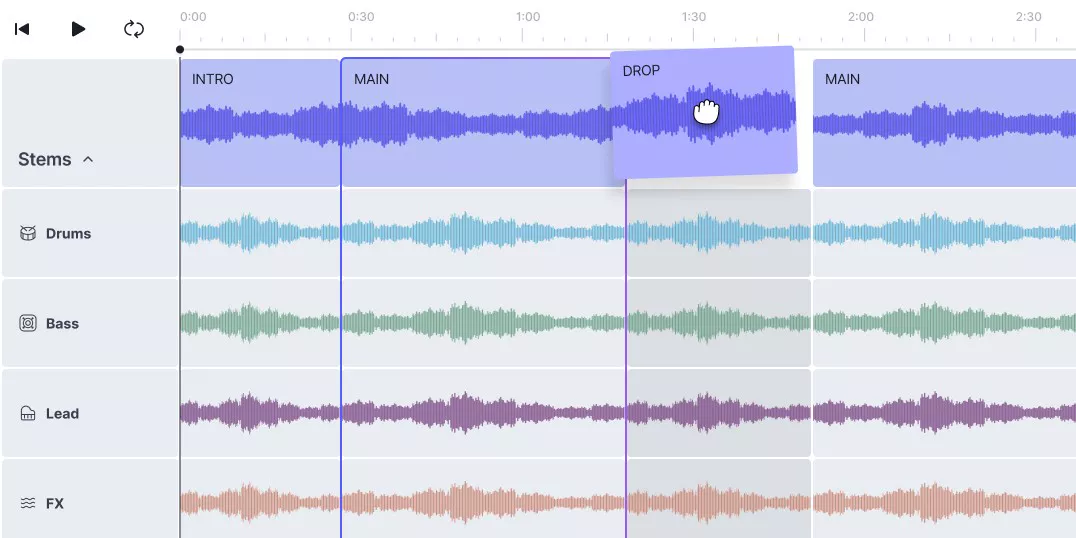
Reshape Musical Structure
Add, remove, reorder or change sections like Intro, Main, Break, Drop and Outro.
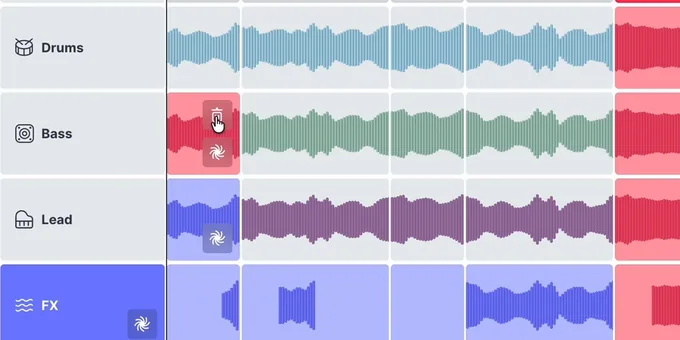
Edit Individual Stems
Regenerate or remove drums, bass, lead or FX — even inside a specific section.
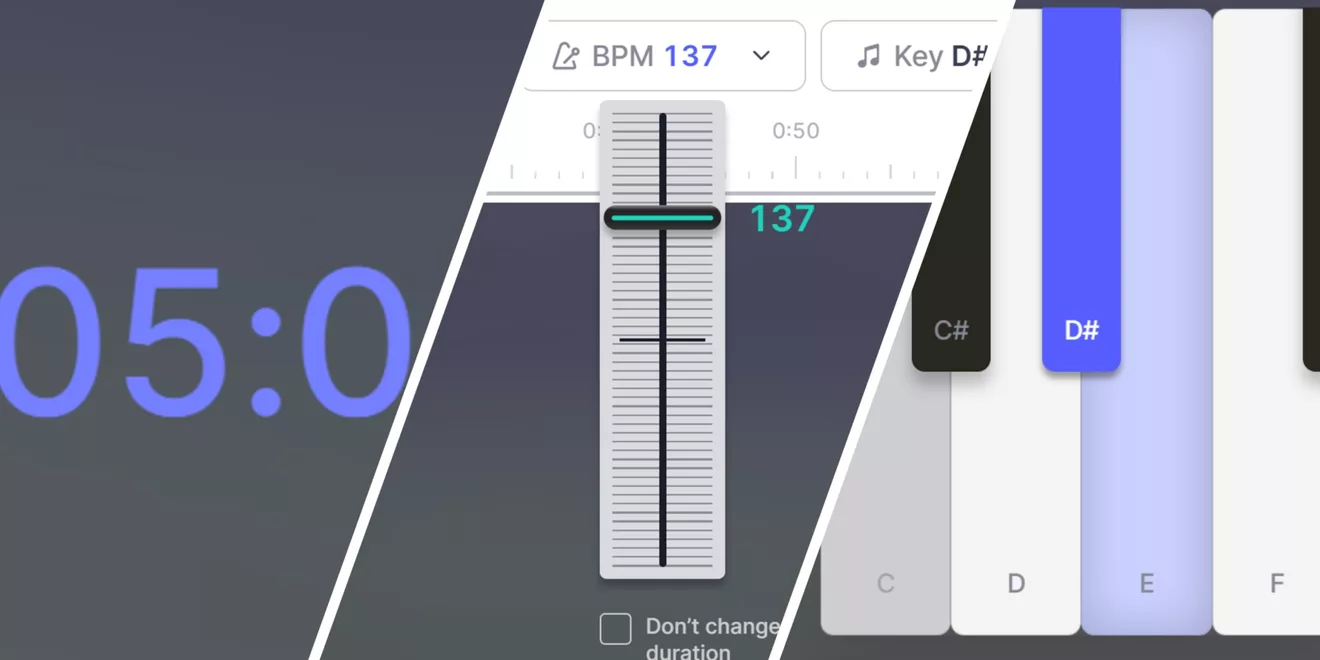
Match Your Project
Adjust duration, BPM and key while keeping the track you already like.
Just three simple steps
Get Track Editor
Track Editor is included with Pro and Business plans.
ProFor creators who need more control over their music.
$32.49/Monat$39
/ MonatJährlich abgerechnet- 500 Tracks / Monat
- Bis zu 25 Min.
- Verlustfrei
- Unbegrenzte Downloads
- Voller Track-Editor
- Kommerzielle Nutzung
- Freelance- und Agenturarbeit
- Apps und Dienste
GeschäftFor teams producing content at scale.
$149.29/Monat$199
/ MonatJährlich abgerechnet- 1.000 Tracks / Monat
- Bis zu 25 Min.
- Verlustfrei
- Unbegrenzte Downloads
- Voller Track-Editor
- Kommerzielle Nutzung
- Freelance- und Agenturarbeit
- Apps und Dienste
Track Editor FAQ
Mubert Track Editor is an AI music editor inside Mubert Render. It shows a generated track as its musical sections — Intro, Main, Break, Drop, Outro — and its stems — Drums, Bass, Lead, FX, and Vocals where the track has them — and lets you change the arrangement, regenerate selected parts, remove unwanted layers and adjust duration, BPM and key. You stage the edits, press Remix, and Mubert generates a new track from them.
Any track generated by Mubert Render, whichever way it was generated — from a text prompt, from an image, from another generation method, from a previous remix, or from Staff Picks. The Editor does not accept uploaded audio files.
No. Track Editor works only with tracks generated inside Mubert Render. Uploading external audio is not supported.
No. Track Editor is generative rather than real-time: you define the changes first and then press Remix. There is no audio preview of pending edits before generation finishes.
No. Every Remix is rendered as a new generated track and the original stays as it was. The new version can be opened in the Editor and remixed again, so you can iterate: track → remix → new track → remix again.
No. It is a way to direct generated music using musical concepts — sections, stems, BPM, key and duration. It does not replace Ableton Live, Logic Pro, Pro Tools or FL Studio, and it does not offer MIDI editing, sample editing, custom effect chains, mixer automation or manual mastering.
No. Stems are editable layers inside the Editor, but they cannot be exported as separate audio files. Tracks you create in the Editor export under the normal conditions of your Render plan; on the plans that include the Editor that means WAV.
Track Editor is part of Mubert Render and is available on the Pro and Business plans. It is not available on Ambassador or Creator. Each Remix produces a new generated track and counts against the generation limits of your subscription. Using the Editor does not change your licence: the resulting track follows the rights of your existing Mubert Render plan.